Windows
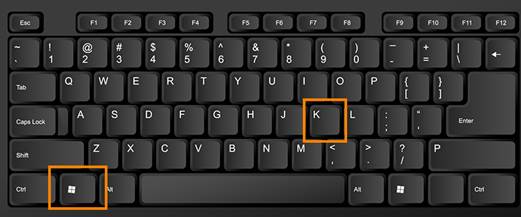
Log into your computer and press Windows + K simultaneously
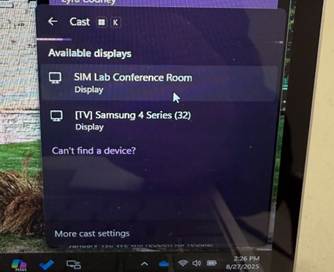
A pop-up should appear with the rooms you can connect to. Click the
name of the room you wish to connect to
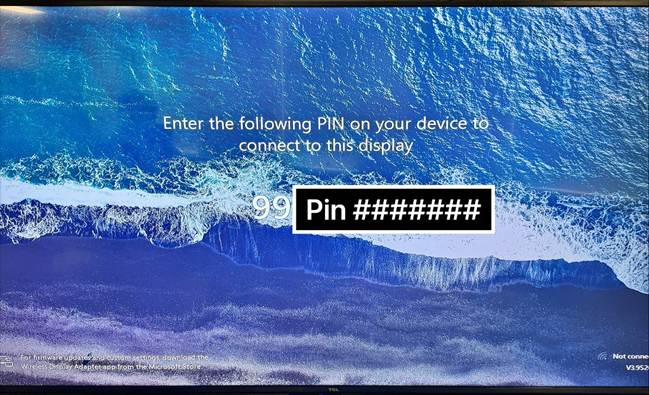
Once you have selected the room you wish to connect to you should be prompted to accept the connection. The two methods of connection will either have you enter a pin or have you select “allow”. Once done you should be connected.
Please see examples down below

Was this article helpful?
That’s Great!
Thank you for your feedback
Sorry! We couldn't be helpful
Thank you for your feedback
Feedback sent
We appreciate your effort and will try to fix the article