Use the following steps to hide a course from the Courses tab or from the My Courses module on the My Institution tab:
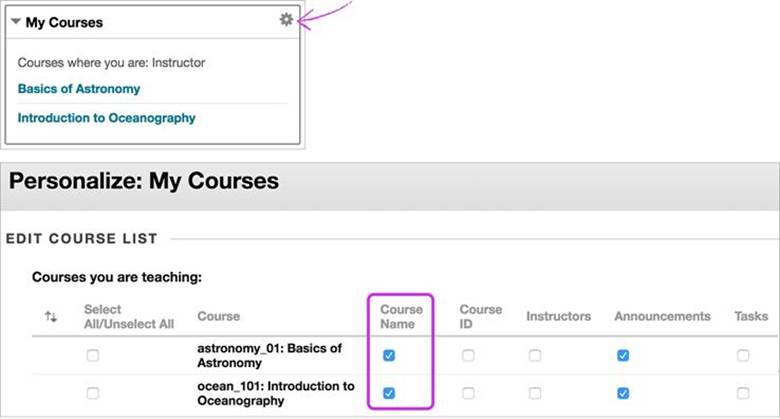
- Select the Manage icon that appears when you point to the module.
- On the Personalize: My Courses page, locate the row for the course you want to hide and clear the check box in the Course Name column.
- Be user all check marks are cleared in that course’s row.
- Repeat for any courses you want to hide.
- Select Submit.
Was this article helpful?
That’s Great!
Thank you for your feedback
Sorry! We couldn't be helpful
Thank you for your feedback
Feedback sent
We appreciate your effort and will try to fix the article